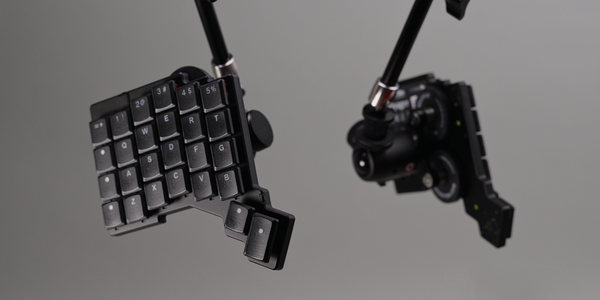
TL;DR When I first saw the Sonsei, I was intrigued and questioned whether I could daily drive it or not. Now, that I've had it for a couple of months, I can assure you I can, but not without its shortcoming. The design is focused on portability, and it shows, in order to get it this compact, compromises had to be made.
A Split That Doesn't Split
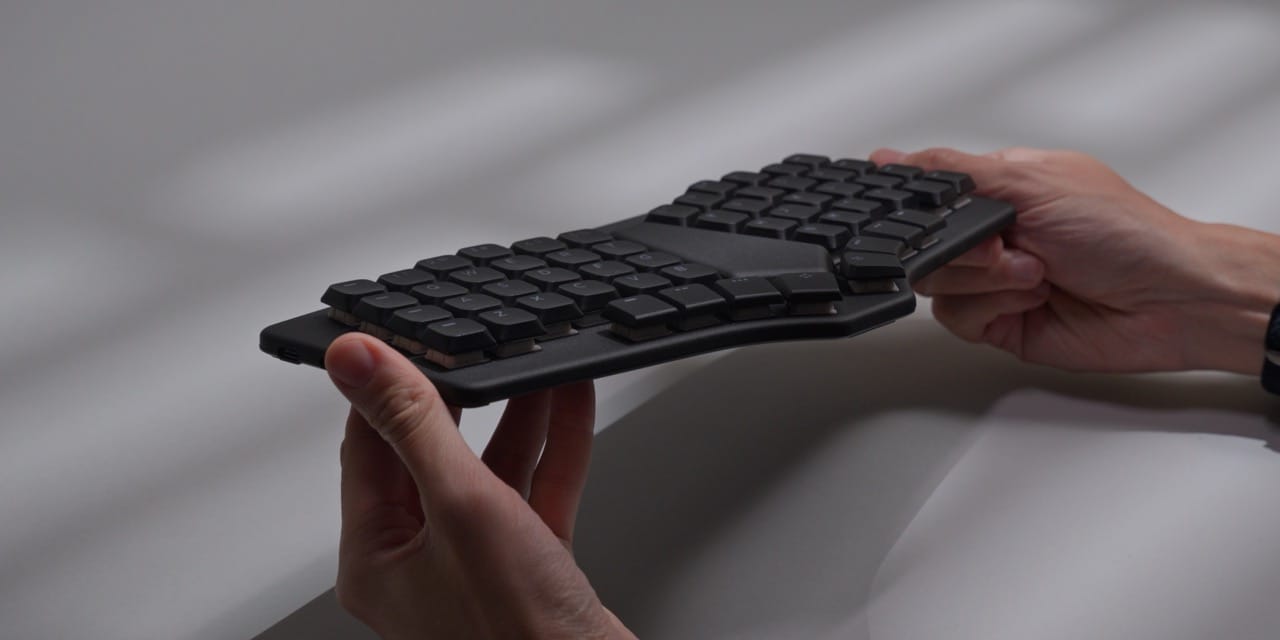
When I initially spotted the Dygma Sonsei on Instagram, I was immediately hooked by its looks, but simultaneously also questioned whether I could daily drive it or not. Although it inherits a lot of the split ergonomic features I've grown to love, its rigid, unsplit construction also prohibits the benefits of those features.
Its angles cannot be adjusted. Its middle cannot be tented. Its form cannot be mounted. And its halves cannot be split. The biggest question, however, goes much further: does it actually resemble a pair of underpants?
That comparison to the tighty whities didn't stem from my own mind, by the way. It was provided to me by one of you, which I am eternally grateful for. But don't worry, I won't overdo it with the undergarment puns. I'll try to keep it brief.
Built To Travel
The hardware itself is likely one of the most polarizing parts of the Sonsei. Compared to similarly sized boards such as the Corne, the Voyager or the Go60, it lacks the transformability of those. That's not to say it's uncomfortable to type on. On the contrary, it's been sublime. Not blissful, mind you, that I'll reserve for true splits.
What it does do better than the rest is portability. Not just the act of being able to quickly pack it up and take it to the office, home, or the other way around. No, the actual act of using it while on the go, something which I've never done with any of my former boards. It's what Dygma designed the Sonsei for, and it shows, for better or worse.
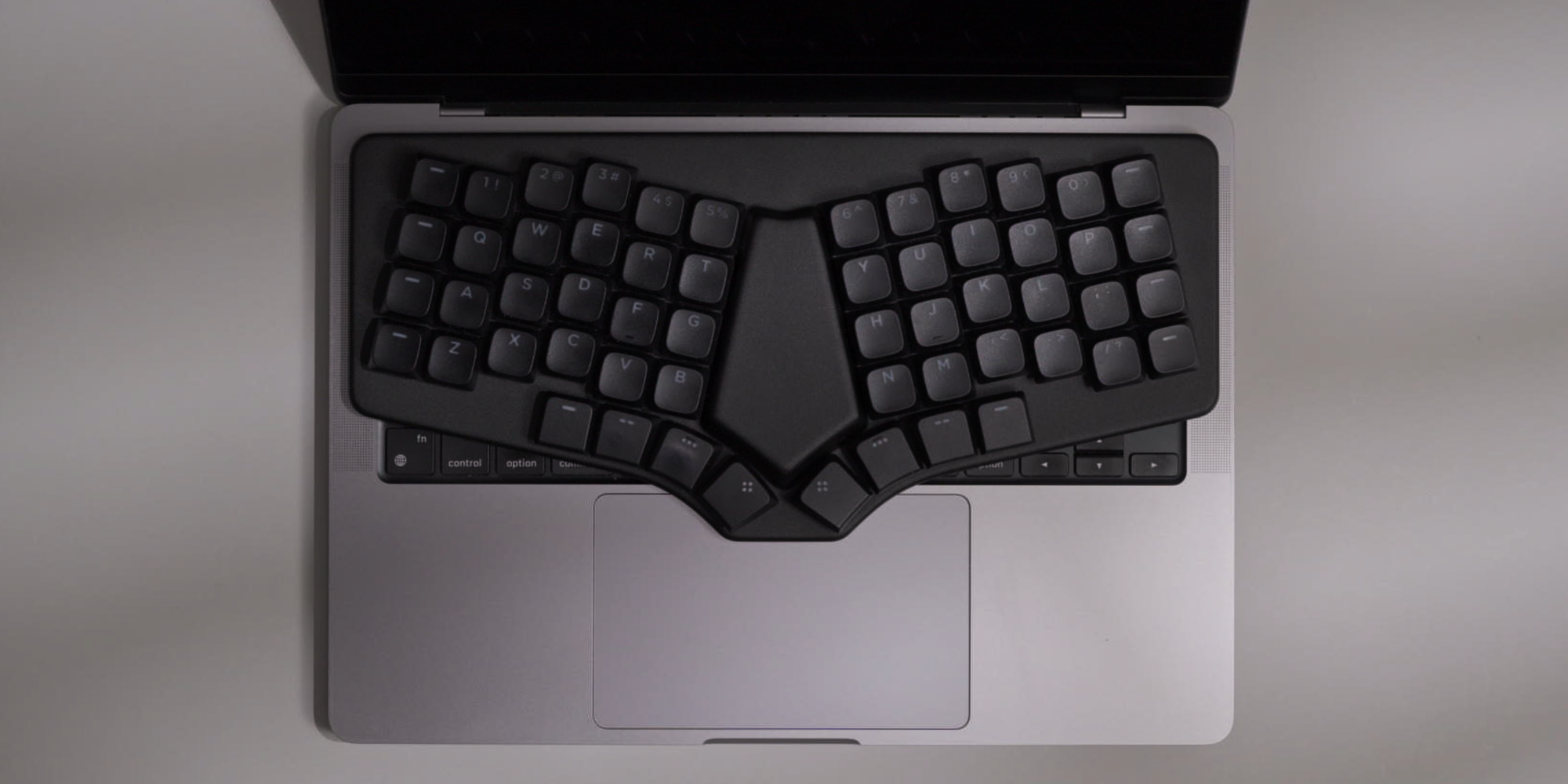
The single slab construction doesn't just allow for lap typing, it's also designed to sit atop a laptop. If you've ever heard of NuPhy keyboards, you'll know this trick. The board is shaped in such a way that it doesn't push down on the built-in keys, which the Sonsei achieves by simply being slightly larger, letting it rest on the elevated edges around them, if those exist. If not, this won't work, because unlike on a NuPhy board, you don't get those slim rubber legs that lodge themselves in between the keys.
Luckily for me at least, it works, as I have a 14" M series MacBook Pro. It even worked on my 11" iPad Pro with the Magic Keyboard attached, which has a small enough lip at the front for the middle rubber foot of the Sonsei to rest against. It's the first time I was actually able to type with a layout like this while on the go, and as far as I know, it's one of the only ones that can. That is, until Framework adds the keyboard insert of our dreams.
Wired, Wireless And The Living Room

There are two ways to operate the Sonsei. Wired, using one of the two included USB-C cables, where the longer one is for stationary use and the shorter one is for the laptop scenario, along with an angled adapter which I found quite handy. The other option is wireless over Bluetooth, where you can connect the Sonsei to up to five devices, including mobile ones like the aforementioned iPad.
You switch between wired and wireless using a neat little switch on the side. There's nothing particularly fancy about it, but I like that the top position is USB-C and the bottom is Bluetooth, which makes switching blind rather easy.
I have to say though that on my MacBook Pro I did encounter some connection issues every now and then. I don't know if this is due to my aging M1 hardware or another factor. What I will say is that I didn't encounter any of these issues on the iPad Pro. I've also had no issues with my living room gaming PC, which is an area where I never thought I would, or could, ever use a columnar board. I love the fact that I can finally use the most comfortable layout in the most comfortable setting.
I only wish there was a 2.4 GHz dongle option as well. Although I rarely have issues with Bluetooth, I still prefer a dongle as my primary connection.
No Tenting, No Tilting, Plenty Of Thumbs
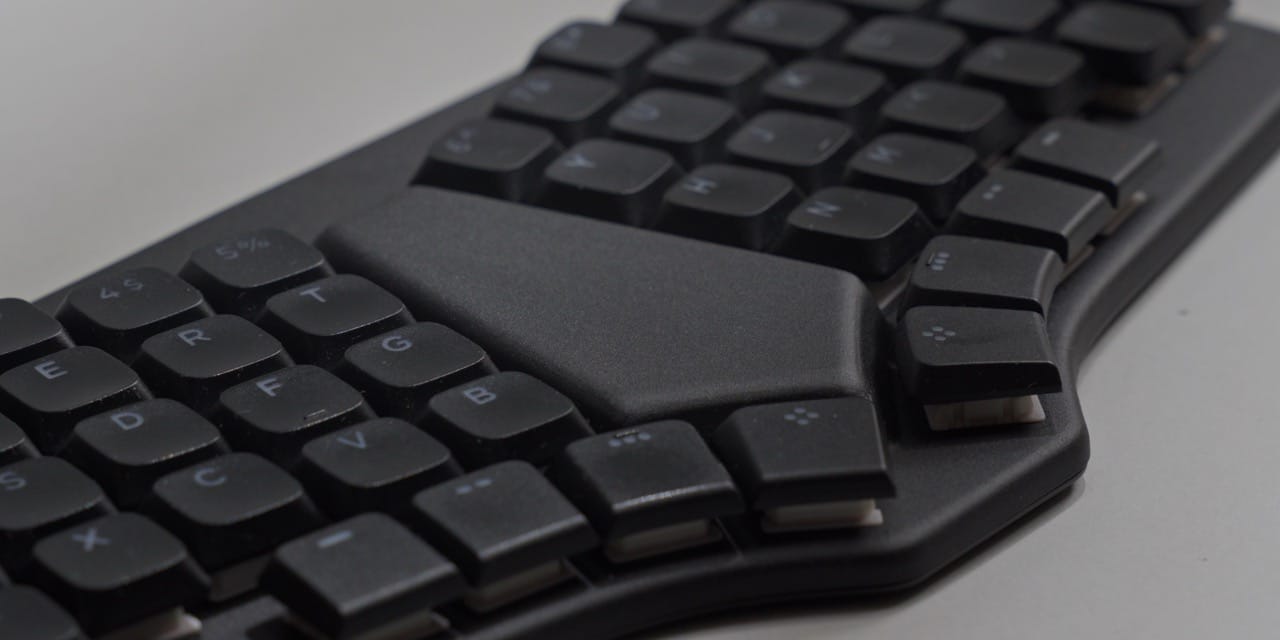
I felt right at home with the fixed 18° rotation of each half. What I do miss though is tenting, which, if you don't know, refers to being able to prop each half up inwards. It's something I like to use quite a bit on my splits. This, and being able to change the typing angle, is not possible on the Sonsei, at least not without some third-party help. I suppose one could print a cradle to place it into, like the ones that exist for other keyboards.
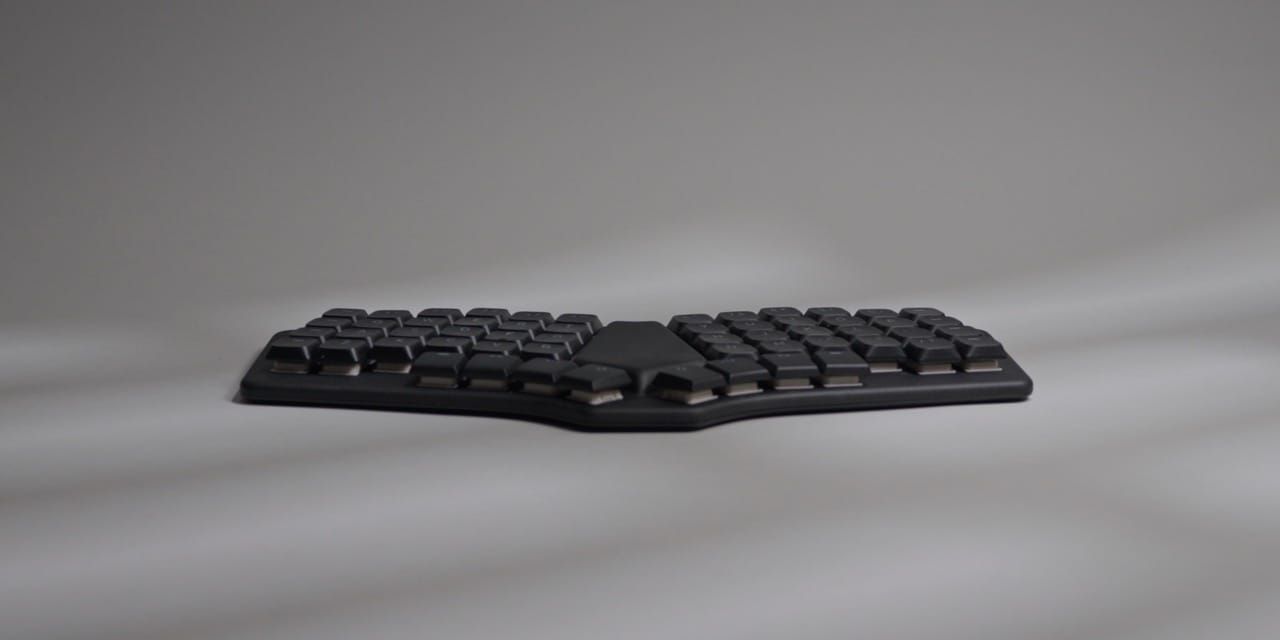
According to Dygma, tenting, even at a fixed angle, as well as propping it up, were left out on purpose in order to keep the size to an absolute minimum. Having handled and lugged it around for the past month, I can attest that they succeeded.
Don't let the form factor fool you though. This is a full-fledged, albeit not quite 60% board, given its 56 keys, including four dedicated thumb buttons on each side. That instantly made it a favorite of mine, as it allows me to have dedicated layer and umlaut modifiers. You know, these things: ä, ö, ü.
Switches, Sound And Shine-Through
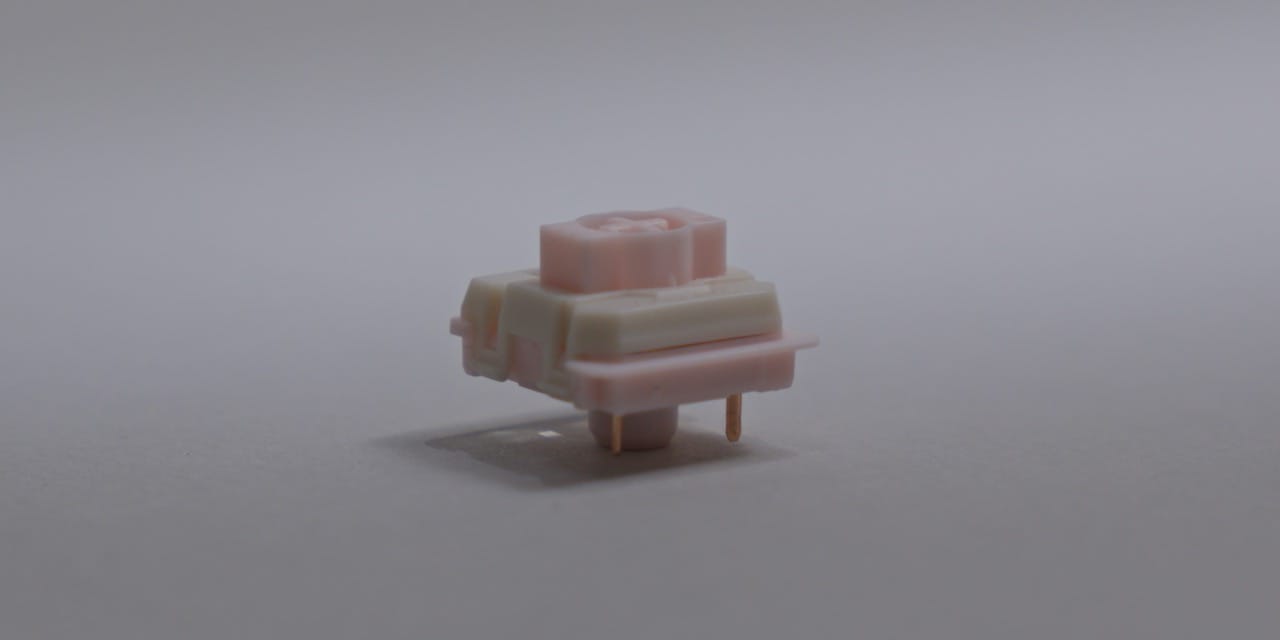
To activate those beautiful layers, you push down on the included shine-through PBT keycaps, which sit atop Gateron KS-33 2.0 low-profile switches. A bit of a mouthful, but luckily these are the same ones you'll find on NuPhy boards and many others, meaning that unlike with some other super slim boards, there are actually viable options out there. Still, I prefer the switch choice and options on the Go60. Being able to use Choc V1s and V2s in the same board still seems to be the flexibility to beat.
According to Dygma, the Gateron decision was thoroughly tested and carefully evaluated, in function, form and acoustics. The latter of which I think missed the mark a little bit, at least when it comes to the Strawberry Chocolate linears mine shipped with. In its defense, I have yet to hear a low-profile ergo keyboard that sounds as good as ye olde custom keyboards. But the Sonsei isn't just acoustically challenged from a satisfaction point of view, it's also a little loud, despite the rather comprehensive treatment on the inside.
I might be typing on the harsher side, but I still think this board will draw quite a crowd in a public environment if you go with linears. There is one silent option you can pick during your purchase though, along with two other options, which I am tempted to get just to hear how they sound in comparison.
Another reason for the switch choice came down to LED effectiveness, something I never even thought about, but Dygma did go into it in their very long and thorough Q&A video on the Sonsei. I will admit, the legends do look very nice and evenly lit, even though this isn't a feature I weigh heavily. The layer highlights are a nice little trick I did enjoy, even if to me they're entirely cosmetic.
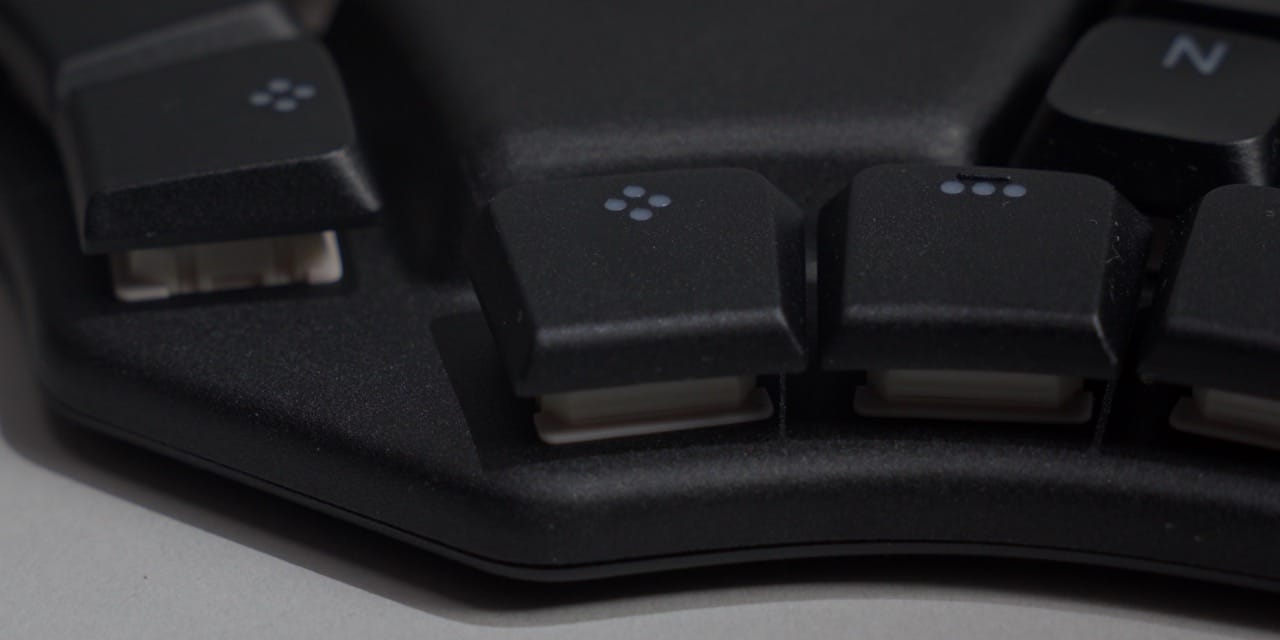
I also like how all the modifiers look, such as the thumb clusters and the two rows on either side, which are all unlabeled. I often end up switching the layout, and even though it doesn't really matter what is written on a key versus what it actually does, I still prefer the ambiguity. I think it's because of this that you also don't get any extra keycaps with the Sonsei, which other boards often ship with.
The last elephant in the room concerns the rather noticeable bulge in the middle. At first I was very happy to see it, because without reading the specs, I naturally assumed it was hiding a touch surface. It unfortunately is not. It's just the compartment for the battery.
The Full Monty
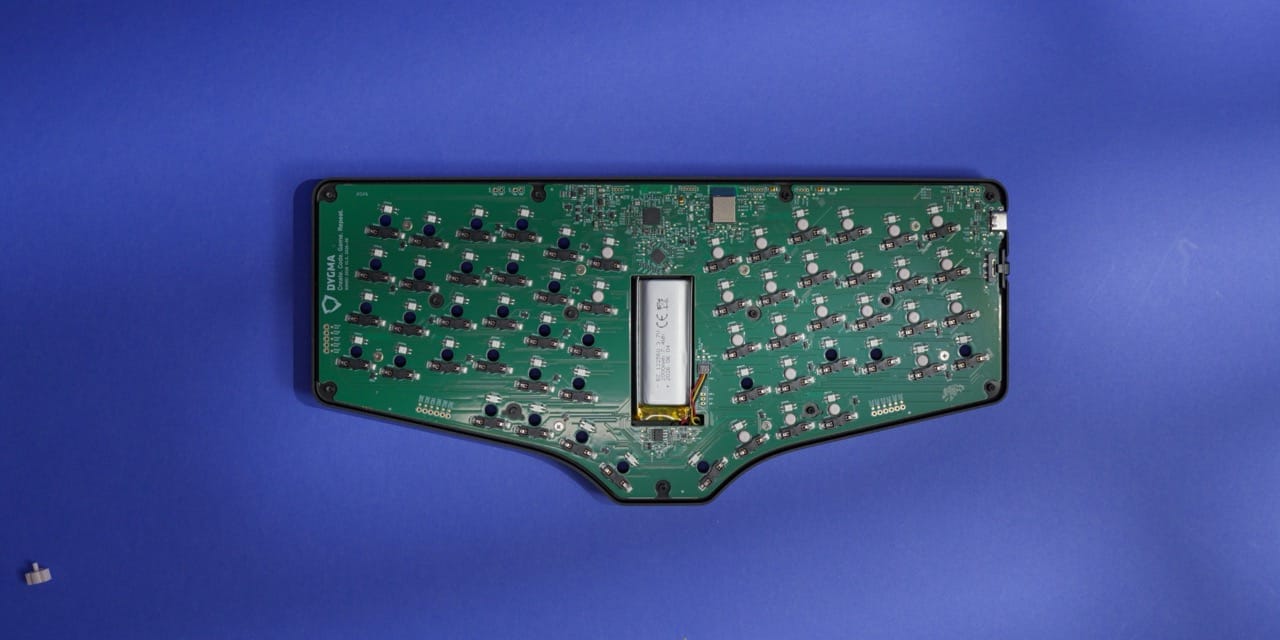
As you've probably noticed by now, I am quite smitten with the form factor of the Sonsei, but that is only half the story. Considering its impressive thinness of just 7 mm at its lowest, and its rather light, but not too light, weight of 399 g, it's impressive to learn that it was designed to be opened up.
I began by removing the keycaps and switches, which technically you don't even have to do, but since I intend to change them anyway, I went ahead and did so. Here's one of only two gripes I have with the hardware: how incredibly tight the switches are seated. According to Dygma, this was on purpose, as the regular Gateron 2.0 sizing was simply too loose and resulted in an unnecessary combo move when trying to remove the keycaps, something I'm quite familiar with. But I'm not sure the trade-off was worth it. Quite frankly, it can be a bit of a pain in the buttocks, and it resulted in the occasional switch casualty.
There are keyboards out there that offer some assistance by way of a little groove on the side, where your claws can grab a hold of the switch more easily. The lack of one resulted in the occasional skid mark, which is something I'm always a bit embarrassed by. Luckily, nobody will see it unless it's shown or pointed out.
The second gripe I have is with the uneven surface on the back. Honestly, it's nothing to write home about and doesn't impact functionality at all. What is worth mentioning, though, are the holes on the back, which, unlike their underpants counterparts, are intentional and there to support a user-friendly teardown. This is the first time I've seen a company purposely put holes where the rubber feet are so I can take the screws out without ruining the adhesive, and I applaud this with passion.
With all the screws removed, you're presented with the first, or last, layer of foam, depending on how you look at it. It's part of the acoustic treatment that helps keep the noise down, or is supposed to. I don't think it works that well, but it's better than having nothing, I suppose.
After this, the 2,000 mAh battery presents itself, lodged within the frontal bulge. Mine was glued in, and I tried my best to remove it, but for the sake of not breaking the Sonsei, I gave up after a little while. The same goes for the ribbon connector. I'm always a bit worried about these, and this one in particular had some sort of child safety mechanism installed to prevent me from disconnecting it. Either that, or I'm just that incompetent, which I won't dispute.
And that's about as far as I went with the teardown, which I think is fine, as there wasn't much more in there. The only things left were the single PCB, whose simplicity I like a lot, and several layers of additional dampening material, whose effectiveness I've already commented on.
To be honest, I found the entire teardown process a bit contradictory. On the one hand, it's inviting, almost encouraging. On the other, it just doesn't work as intended. You know, like those frontal holes in underpants. In its defense, the top metal frame does feel very nice. It has a soft touch surface that likes to attract dust and light scratches, but it wipes down just as easily.
Bazecor, Super Keys And Layer Lens
If you've followed any recent reviews of ergonomic keyboards, mine included, you'll know that many of the prefab boards don't support QMK or ZMK, but instead rely on proprietary software. Although the Sonsei doesn't support them either, calling Bazecor, its software, proprietary is a bit of a stretch, as it's open source and based on Chrysalis, which some might be familiar with from other well-known boards. Bazecor is a fork of it with Dygma specific functionality on top, including one feature that just launched called Layer Lens, which I'll get to.
That doesn't mean nothing else stands out. On the contrary, let's start with one of my favorites: you can make changes without recompiling and manually flashing the board. It just updates, which makes quick changes very easy and convenient. This is something I appreciate a lot, especially at the beginning of using a new board, where frequent changes are common during the honeymoon period.
Also on offer is mouse control. And no, it's sadly not for a dedicated input device, but rather lets you move your pointer and fire clicks with your keys. It's more intuitive than I thought, but definitely not for me. I still would have preferred dedicated hardware for this. Many moons ago, one of you recommended a tool called mousemaster, which is another alternative if you need pointer control. Although I still haven't properly tried it myself, I am intrigued by the prospect. It essentially lays a grid on top of your screen and lets you reach each area with a key combination. Once that's in muscle memory, I can imagine it being a ridiculously fast way to make quick navigational moves. But alas, for anything that requires actual movement, dedicated input still reigns supreme.
Next up is the macro editor. On paper it's similar to others, but what makes this version quite the looker is, in fact, its looks, as it resembles a timeline. I don't think I've ever seen one like it before, and since some of these tools can get quite technical, a friendlier way to create and maintain more complex functions is always welcome. I'll be honest though, I've never had the need to create a macro, so I am not as versed in this. I still appreciate it.
Then there are Super Keys, which allow you to assign more than one function to a single key. It's something I learned of not too long ago, and if you've never done it before, I highly recommend you give it a try. I have it set up for my spacebar, which doubles as a layer modifier on hold. It might feel a bit weird at first, but once you get the hang of it, it opens up a whole world of input possibility. Or inpoopossibility. Inpoopability? Anyway, I have a couple more set up like this, and it saves me the hassle of dedicating an entire key to something I only use on occasion.
Lastly, there's a feature which just recently made it into Bazecor called Layer Lens. You'll have to enable it in the general settings first, as it's still in beta at the time of writing. It reminds me a lot of the Keymapp app I tried together with the ZSA Voyager, just more refined. Essentially, it displays your current layers right on your screen whenever you change layers. You can also bring it up with a dedicated key, and I believe that, especially for newcomers, this can be really helpful. I know I would have used it back when I switched to splits.
Which brings me to profiles, or the lack thereof. What a lot of the competition offers is user shareable profiles via dedicated online platforms. Although I'm far from being a proper contributor to those, and have what amounts to a rather basic profile, I still think it's a nice thing to have. In its defense, the Sonsei shipped with a very nice base configuration, which I am always happy to see, but you can't browse what others have created, at least not directly in the app. In theory you can create backups and import them, and there is an active community around Dygma boards, so it's not impossible, just not as accessible as the competition.
As for the rest of the configuration options, I didn't go through things like basic key configuration and layers on purpose. Apart from the friendly user interface, they are what you would expect on a modern keyboard, in a good way. But expectations are a hard thing to manage.
A Fresh Pair
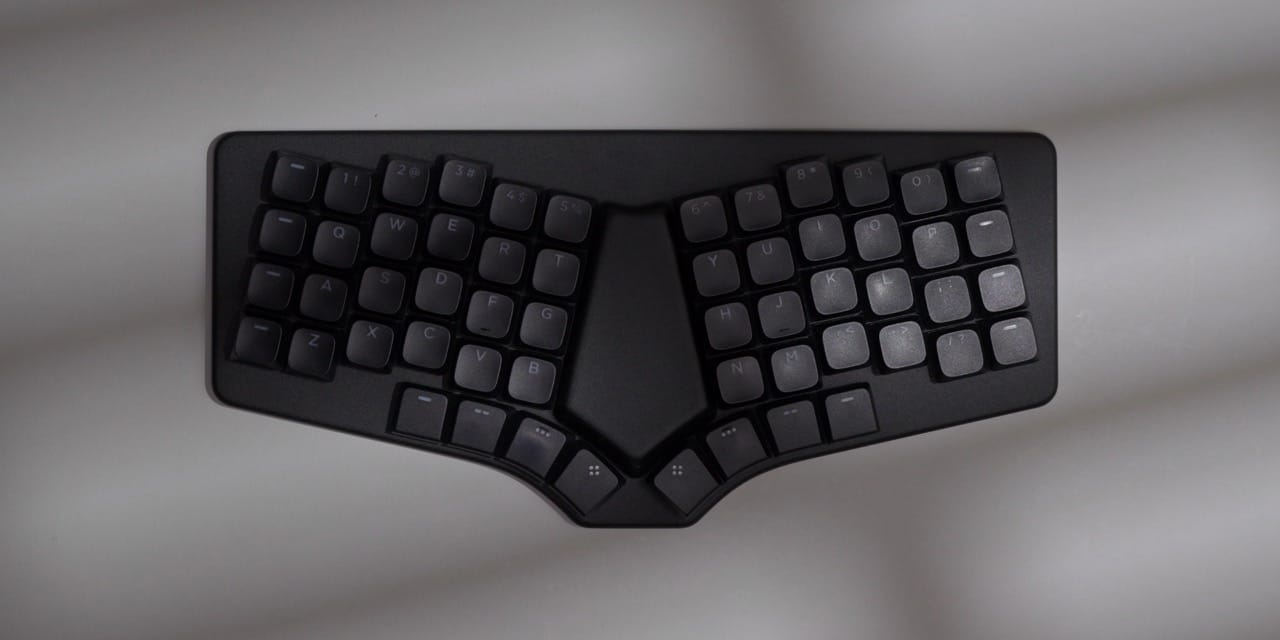
Keyboards that come in underpants form aren't a new thing. There have been many unibooty columnar boards before it, some open source, some even from mainstream competitors. Just last year I came across the Visorbearer and thought it was the portable keyboard of my dreams, for the exact same reason the Sonsei kind of is too: absolute portability. And in that regard, I believe the Sonsei bullseyed its goals. I'd even go as far as to say it's at the top of the food chain.
Back on the desk though, its focus on portability makes itself apparent. No tenting, no tilting, no mounting, no magnets. It's a slab. Not a bad slab, I might add, but if you're used to splits, you might find the portable sizing limiting or even constraining.
There's one aspect where I think the portability went a bit too far, and that's cursor input. It's almost weird how the middle section of this board keeps taunting me to touch it. It practically screams to be a touch surface, which Dygma, believe it or not, initially even prototyped. You can see an example of it in their big Q&A video. In the end, they decided against it because they wanted to keep the size down and use the space for a bigger battery, which I can at least appreciate.
However, I still disagree. Having used the rather small touchpads on the Go60 and the even smaller ones on the UHK80, I think any touchpad would have been better than no touchpad. In my current setup I use a total of three peripherals: a keyboard, a pen and the Magic Trackpad. I found this combination to be the best fit for my needs, with my precise input method to the right, scrolling and quick panning on timelines to the left, and the central command, that is the keyboard, in the middle. What I'm missing is a tiny little touchpad for the roughly 80% of my scrolling that doesn't need the Magic Trackpad's precision or size. It would minimize hand movements and enhance the notebook mode of the Sonsei even more, if you ask me. It might sound benign, but if you've read this far, I don't think you'd ignore this detail either.
Everything else though, I really, really liked, and the Sonsei became my daily driver without hesitation since I got it. If it weren't for the nature of what I do here, it would remain so for a little longer. But as we all know, we can't wear the same pair of underpants for all eternity, despite our innermost sanctuary wishing to do so. Change is inevitable, and so is going splities.
And even though I crowned it the portability king, the next keyboard is about to push size to an even greater extreme.
Mentioned Things
Things Shown
Other Things Shown
- ZSA Voyager
- MoErgo Go60
- UHK80
- Naya Create 3.0
- Corne (Open Source)
- Boardsource Unicorne
- Visorbearer (GitHub)
- NuPhy
- mousemaster (Mouse Control App)
Also Mentioned
Alternatives
Pros
- Genuinely usable on the go, even on top of a laptop
- Wired or Bluetooth with up to five devices
- Four dedicated thumb keys per side
- Screw holes under the feet make opening it easy
- Bazecor changes apply instantly, no flashing
Cons
- No tenting, tilting or mounting
- Switches are seated painfully tight
- Linears are loud despite the dampening
- The middle bulge begs for a touchpad that isn't there
- No 2.4 GHz dongle or shareable profile library